
My account  |  Support  |  Shopping Cart
Jumpeye Components, V3 Flash Components, Flash Components Pro, Flash V3 Components

How to find Help for a Jumpeye component


1. Open your Macromedia Flash software.

2. You can open a new document (File/New/Flash Document) if you want to see the component you are trying to get the help for. I’ve chosen the XMLSlideShow V3 component.

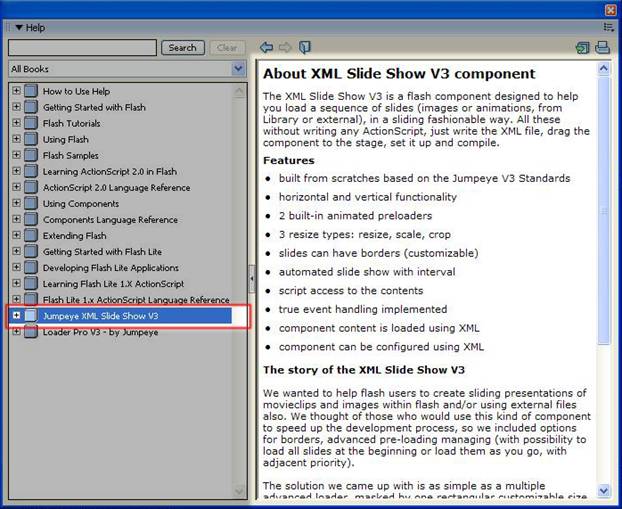
3. Press F1 on your keyboard to open the Flash Help. On the left of the Help page, there is a book list. Look at the bottom of this list and you will find a book named Jumpeye Slide Show XML V3 (as in the image below).


4. Click the “+” sign in front of the book for the list to be enlarged and to see more details about the component.
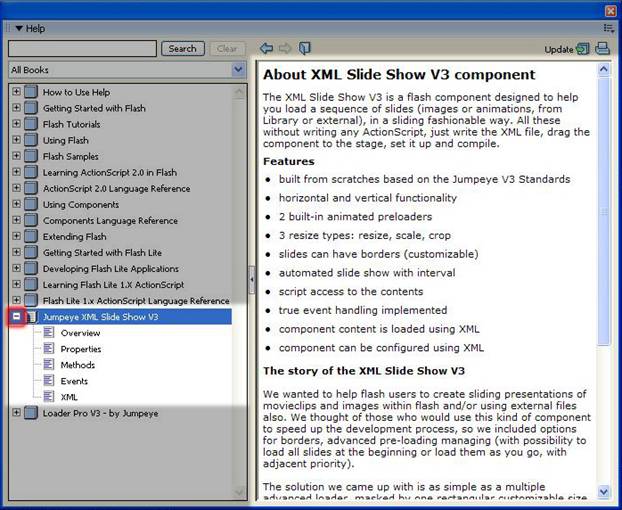


5. All Jumpeye components have help attached to them and you can always find it at the bottom of the main Help page.


Menu

Special Offer

Special Offer - All in one Jumpeye Components bundle!

Get the JC Master Collection Now!

Free Trial Versions

The trial versions do have a major limitation. They will ONLY run into debugger flash player versions, such as the Flash IDE player and the activeX FP used by developers.

Switch from Free Trial version to Full version.

You can switch from Trial to Full versions in a blink of an eye.
See this tutorial in order to find out how.

We accept Google Checkout

Google Checkout Acceptance Mark

Secured by VeriSign






