


Selecting the color source for color picking
home » flash components » user interface » color picker pro v3 » selecting the color source for color picking »
1. You have to complete the "Create a simple Color Picker" tutorial before continuing with this one.
2. Open Adobe Flash CS3, create a new file (File/New/Flash Document) and look for the Color Picker component in the Components window (Ctrl+F7 on Windows; Command+F7 on Mac) on the V3 Components - Jumpeye.
3. Your Color picker can choose a color not only from its own palette, but from other spots too (like the rest of your stage or from a specific movie clip).
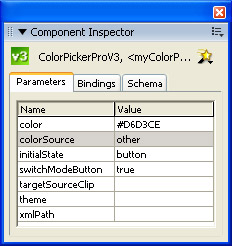
4. If you choose the value other for the colorSource parameter, in the Parameters tab of the Component Inspector, the color picker will only recognize colors inside the color palette and another movie clip present on the stage :
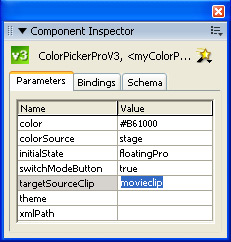
5. Now you need a movie clip to load the colors from. I’ve drawn a rectangle with several colors, convert it into a symbol, set it’s instance name to movieclip and wrote it’s instance name in targetSourceClip tab from Component Inspector like this:
6. Hit Ctrl+Enter to generate your swf file :
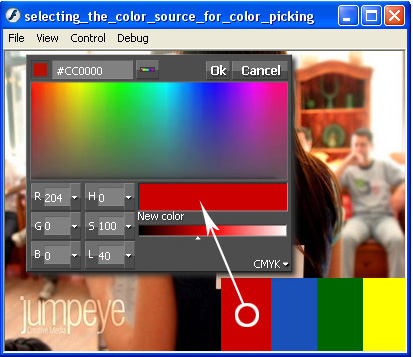
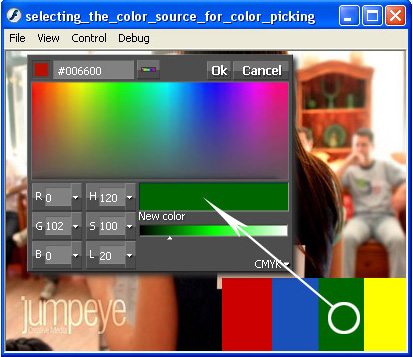
Note that you can only select colors from the external movie clip or from the picker’s palette
7. Set the colorSource parameter, in the Parameters tab from Component Inspector, to stage. In this case you are allowed to select colors from the color palette and any other spot on the stage, outside the component’s window (including the blue movie clip) :












